Is Showit or Wix better for a wedding business?
Choose Showit if your brand depends on a custom, editorial look and you'll blog regularly; choose Wix if you want an all-in-one builder that handles more of the technical SEO for you. Neither guarantees a fast site or good rankings. In our audit of wedding planner homepages, each platform had one clear weak spot, and both are fixable in an afternoon.
On October 9, 2026 we audited 74 live US and UK wedding planner homepages (full audit). Twelve ran on Showit and ten on Wix. Here is how they compared on the basics Google reads.
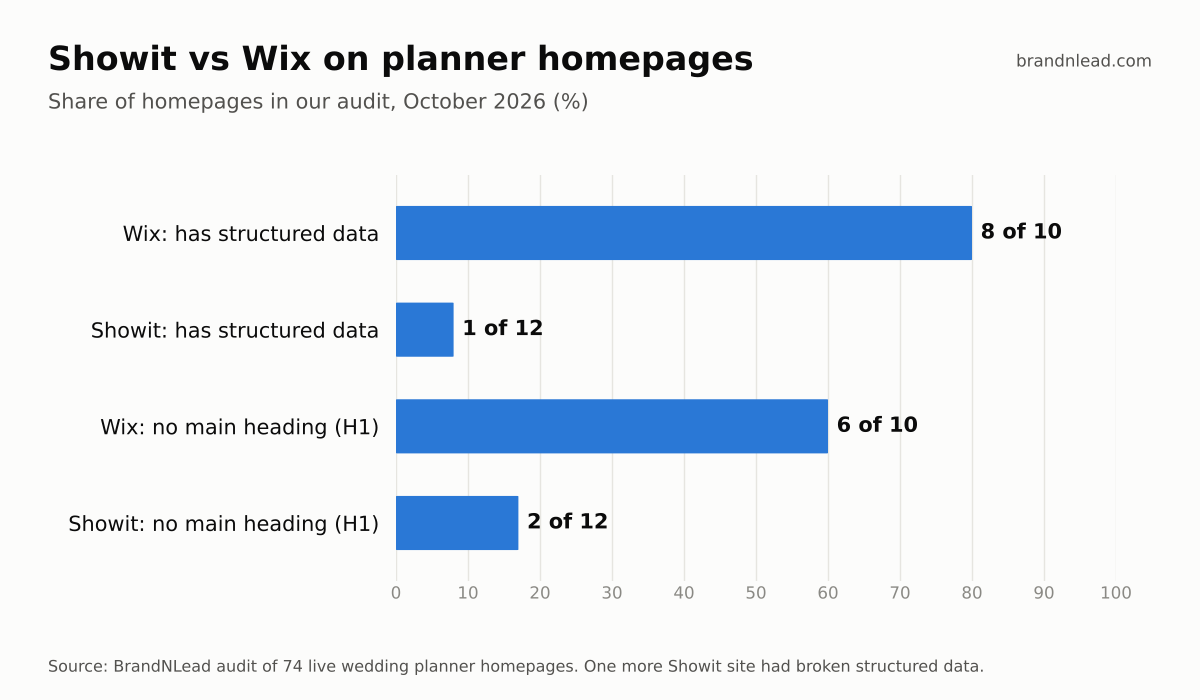
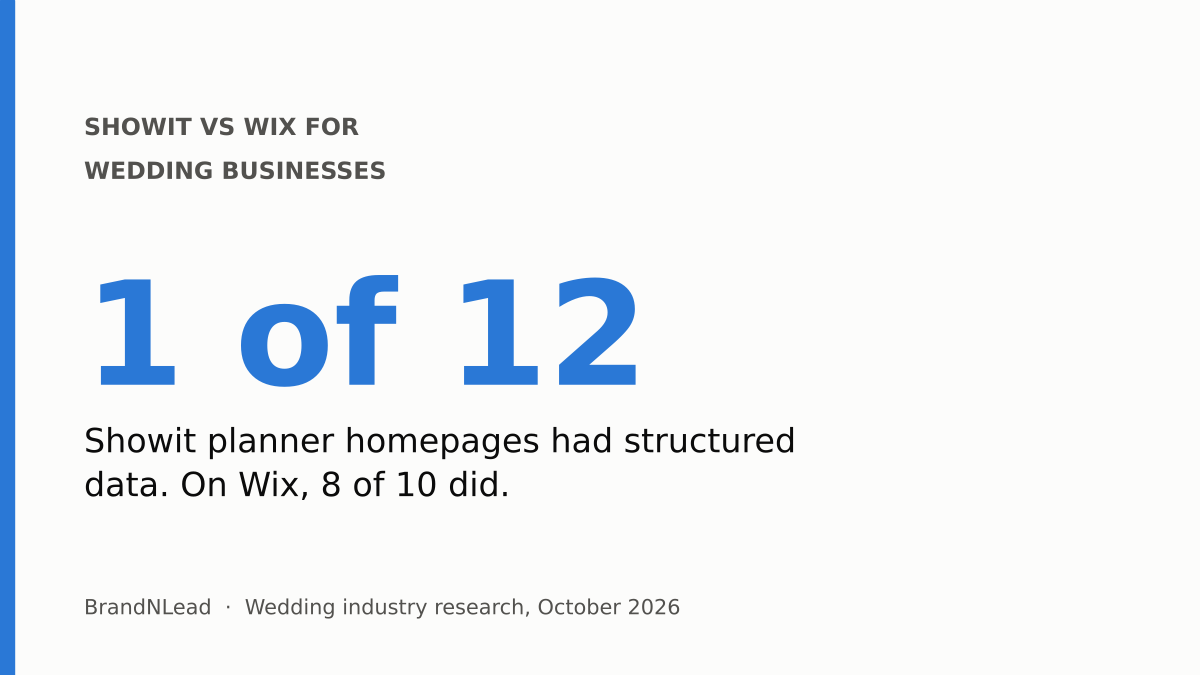
- Structured data: Wix 8 of 10, Showit 1 of 12. Structured data is hidden code that tells Google what your business is. One more Showit site had code that was broken.
- Main heading (H1) missing: Wix 6 of 10, Showit 2 of 12. The H1 is the page's main headline, the first thing Google reads to understand what a page is about.
Why do Wix sites have more structured data?
Because Wix adds it for you. Wix says it “automatically creates Local Business markup for your site's homepage” once you add your business name and location in Business Info, for your primary location only (Wix Help). It also adds preset markup to blog posts and some other page types (Wix Help).
Showit doesn't add business markup on its own, which is why 10 of the 12 Showit homepages we checked had none. You can add it yourself in each page's custom head code; our review of whether Showit is bad for SEO shows where.
Why are so many Wix homepages missing an H1?
Usually because the biggest text on the page is styled as something else, or the main headline is inside an image. Wix lets you set any text box as a heading level, so this is a setup choice rather than a platform limit. Six of ten Wix homepages in our audit had no H1, against two of twelve on Showit.
Fix it in five minutes: pick the one line that says what you do and where (“Wedding planner in Austin, Texas”), set it as Heading 1, and make sure no other text on the page is also an H1.
Is Showit or Wix faster?
In our audit the Wix homepages scored slightly higher on Google's mobile speed test, but neither was fast.
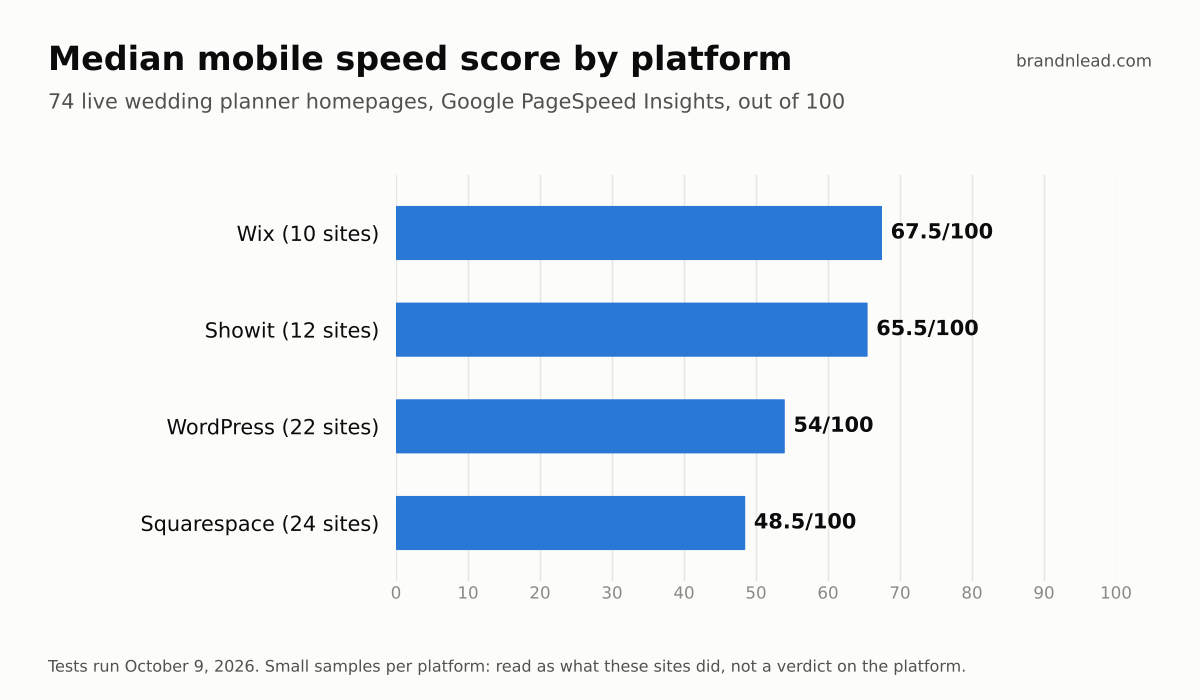
The median Wix homepage scored 67.5 out of 100 and the median Showit homepage 65.5. The time for the main image to appear on a phone told a slightly different story: a median of 6.4 seconds on Showit and 7.5 seconds on Wix. Google counts 2.5 seconds or less as good, and none of the planner homepages we measured on any platform managed that. With 10 and 12 sites, treat these as what these sites did, not a verdict on either platform.
In our separate check of 23 wedding photographer sites, the two on Wix scored 68 and 82 and the median Showit site scored 68; see our platform guide for photographers.
What does each platform do best for wedding businesses?
- Showit: total design freedom with drag-and-drop layouts, built for creatives, and the favourite of wedding-industry template designers: 10 of the 13 wedding templates in our cost guide were built for Showit. Its blog runs on WordPress; Showit's own pricing page says “Showit handles the design, WordPress handles the blog” (Showit pricing). In our audit, 9 of 12 Showit homepages linked to a blog, the highest share of any platform.
- Wix: an all-in-one builder with booking, forms and business tools built in, and automatic local business markup. Two of ten Wix homepages in our audit had an inquiry form on the homepage; none of the 12 Showit homepages did.
Both charge a yearly platform fee on top of design. Our wedding planner website cost guide lists the plans and what templates and designers charge, so you can compare total cost over three years.
Should you switch from Wix to Showit, or from Showit to Wix?
Only if the platform is stopping you from doing something that matters, such as a design you can't build or a blog you can't run. Switching means rebuilding every page and redirecting every old address, which takes time and can cost you rankings for a while if it's done badly. If your site is slow or missing basics, fix those first on the platform you have:
- Set one clear H1 on every key page.
- Add structured data on Showit (Wix does it for you once your Business Info is complete).
- Compress your homepage images and remove any autoplay background video.
- Put an inquiry form or a clear button on the homepage.
Our SEO checklist for wedding planners covers the rest, our Showit vs Squarespace vs WordPress guide compares the other big platforms, and if you'd rather have it done for you, see our website design for wedding planners.
How we checked this
- Homepages: BrandNLead audit of 74 live US and UK wedding planner homepages, October 9, 2026: platform, structured data (read from each page's code), H1 count, inquiry form and blog link. Twelve ran on Showit and ten on Wix; we re-checked every platform in a browser on October 16, 2026.
- Speed: Google PageSpeed Insights, mobile, for the same homepages (73 could be measured).
- Platform features: Wix Help Center and Showit's pricing page, read October 16, 2026.
- Limits: small samples per platform. These are snapshots of real sites, not tests of the platforms themselves.