Is Showit bad for SEO?
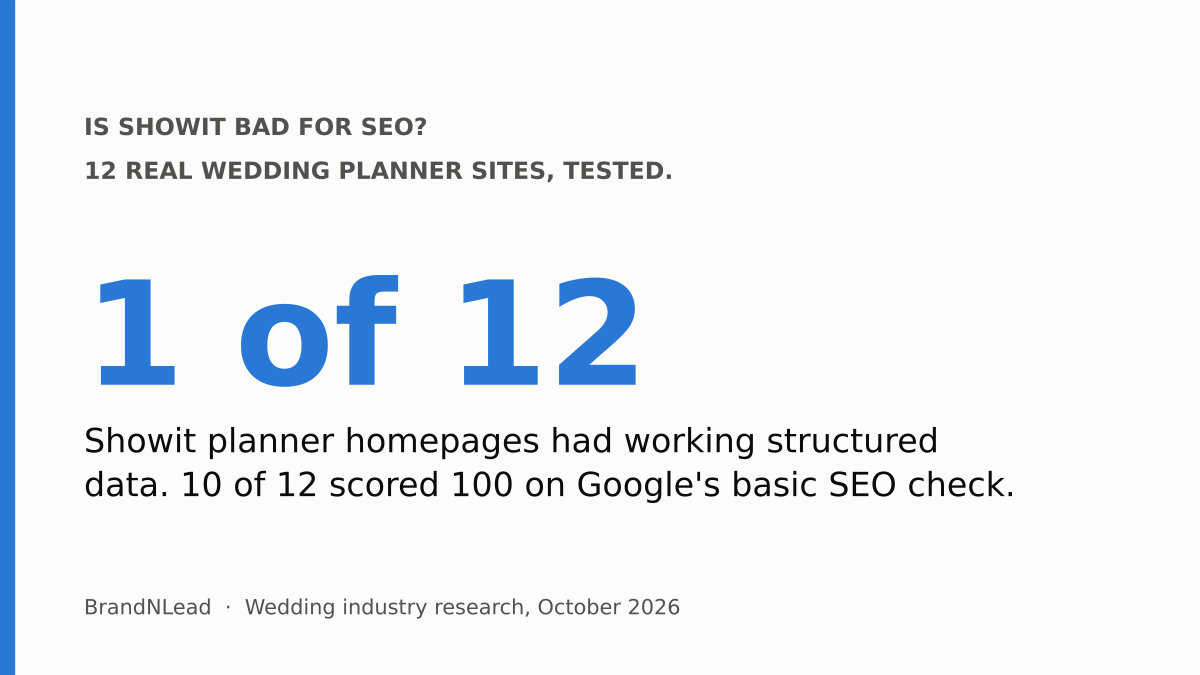
No. In our test of 12 wedding planner homepages built on Showit, 10 scored a perfect 100 on Lighthouse's SEO check (Google's automated test for search basics), the best result among the four main platforms, and 11 of 12 had a meta description. Showit sites were also the fastest group we measured, though still slower than Google recommends.
The real gap is structured data: only 1 of the 12 Showit homepages had working schema markup, against 24 of 24 on Squarespace. Headings were mixed too. Both are fixable in an afternoon, and neither is a reason to leave Showit.
What did we test?
These results come from our audit of 100 US and UK wedding planner websites, checked on October 9, 2026. 74 homepages were live and checkable; 12 of those were built on Showit, 24 on Squarespace, 23 on WordPress and 10 on Wix (we re-checked every platform in a browser on October 16). For each one we ran Google's PageSpeed Insights mobile test and checked the homepage code for a meta description, heading tags and structured data.
Twelve sites is a small sample, so read the Showit numbers as a pattern worth checking on your own site, not a verdict on every Showit site.
How did Showit sites score on Google's SEO check?
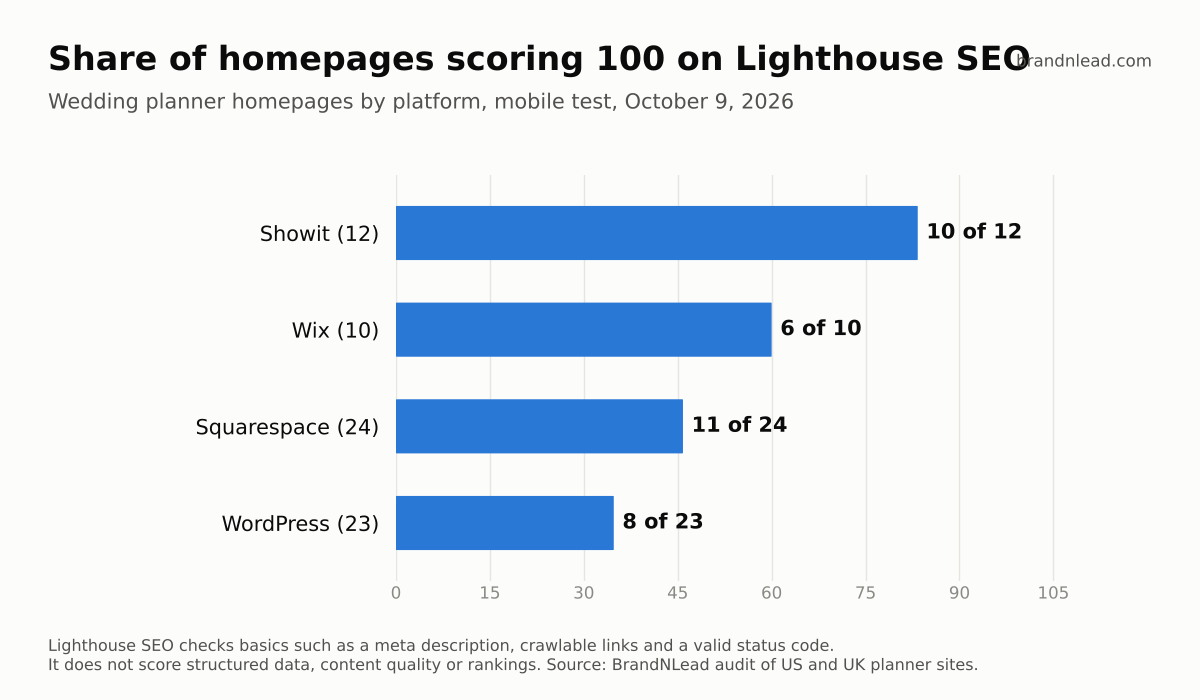
- Showit: 10 of 12 scored 100; the median was 100.
- Wix: 6 of 10 scored 100; median 100.
- Squarespace: 11 of 24 scored 100; median 92.
- WordPress: 8 of 23 scored 100; median 92.
Keep this in proportion. The Lighthouse SEO score covers basics such as a meta description, descriptive link text, a valid canonical tag and a crawlable page (Chrome's Lighthouse documentation). It doesn't score your content, your keywords or your rankings, and structured data is a manual check that doesn't count toward the number. A 100 means nothing basic is broken, which is a good start, not proof a site will rank.
Do Showit sites have meta descriptions?
Mostly, yes: 11 of 12 Showit homepages had one. That compares with 22 of 24 on Squarespace, 7 of 10 on Wix and 14 of 22 on WordPress. A meta description is the short summary you write for each page; Google sometimes shows it under your link in search results. In Showit it's the SEO Description field in each page's SEO settings.
Where do Showit sites fall short?
Structured data
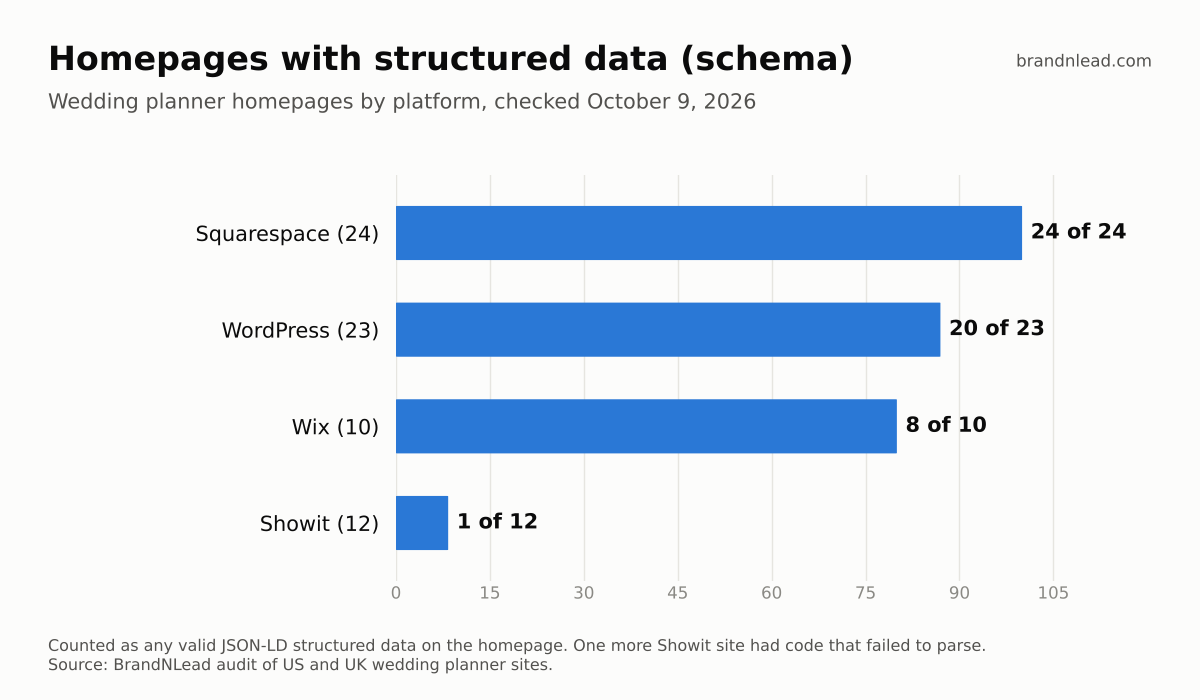
Structured data (also called schema markup) is a small block of code that tells search engines facts about your business in a standard format: your business name, what you do, where you're based, your website and contact details. Google says it uses structured data to understand a page's content and recommends the JSON-LD format (Google Search Central).
Only 1 of 12 Showit homepages had valid structured data, and a second had code that was broken and couldn't be read. Every Squarespace homepage had at least basic markup, which suggests that platform adds it automatically; Showit sites in our sample generally didn't have it unless someone added it.
Headings
Five of 12 Showit homepages had exactly one H1 (the main heading tag), five had several, and two had none. Squarespace was messier, with 15 of 24 using several H1s. Google says there's no ideal number of headings and the order doesn't matter for search (SEO Starter Guide), so this isn't a penalty risk. It's still worth one clear H1 that says what you do and where, because it's the line both people and search engines read as your page's main topic.
Is Showit slow?
Not compared with the alternatives. Showit planner homepages had the fastest median main-image load in our test at 6.4 seconds on mobile, against 9.25 for WordPress and 15.4 for Squarespace. But none of the 12 got under Google's 4-second "poor" line. We break down speed and cost by platform in Showit vs Squarespace vs WordPress for wedding planners.
How do you fix SEO on a Showit site?
In order, these are the fixes we'd make on a Showit planner site:
- Check your score. Run your homepage through pagespeed.web.dev and note the mobile SEO score and Largest Contentful Paint (the time until your main image appears).
- Add structured data. Write a JSON-LD block describing your business (name, website, city, phone, the services you offer) and paste it into the page's custom head code, found in the page's advanced settings in Showit. Test it in Google's Rich Results Test before you publish.
- Set one H1 per page. In Showit, select the text box with your main headline and set its text tag to H1 in the text properties. Make other headlines H2 or H3.
- Write a unique SEO title and description for every page. Include what you do and where, such as "Luxury wedding planner in Charleston, SC".
- Shrink your hero image. Speed is the weakest part of most wedding sites, Showit included. Export it at the width it's shown, in a format like WebP.
- Use your blog. Showit's blog runs on WordPress, so posts can target questions couples actually search for.
SEO gets couples to the page; the page still has to turn them into inquiries. See how to get more inquiries from your wedding planner website.
Should you switch from Showit for SEO?
No, not for SEO alone. Nothing in our results points to a ranking problem built into Showit. The gaps we found, missing structured data, mixed headings and slow images, are settings and content choices you can fix on the platform you already have. Moving to another platform costs a full rebuild and resets everything you've set up.
If you'd rather have it fixed for you, we design and build websites for wedding planners, on Showit or elsewhere.
How did we collect this data?
- Sample: 100 wedding planner websites in the US (70) and UK (30), found through Google searches. 74 homepages were live and checkable on October 9, 2026; 12 were on Showit (platforms re-checked October 16, 2026).
- Tests: one PageSpeed Insights mobile run per homepage (performance, SEO score and Largest Contentful Paint), plus a check of the homepage code for meta description, H1 tags and JSON-LD structured data.
- Limits: homepages only, one test each, and small per-platform samples. We didn't test blogs or inner pages, and we didn't measure rankings. Individual sites are not named.